


Showing posts with label Media-Video. Show all posts
Showing posts with label Media-Video. Show all posts

Trim videos, grab frames, compress your videos and share all on your phone.
VidTrim Pro is a video editor and organizer for Android. It includes multiple features like trimming, frame grabbing and transcoding. You can also share your videos with your friends directly through the app.
Features :
Video trimmer. Trim video clips right on your device
Trim original clip (overwrite)
Save as a new clip
Play video clips
Share video clips. (Send e-mail, upload to YouTube etc.)
Rename video clips
Delete video clips
Features exclusive to VidTrim Pro:
No ads
Frame grabber. Extract/save frames from your video clips as images.
Transcode (resize and compress) video clips to smaller sizes.
What's in this version : (Updated : Jul 3, 2012)
Fix force close on Preferences screen
Required Android O/S : 2.1+
Download : 9Mb APK
Screenshots :




Download here:

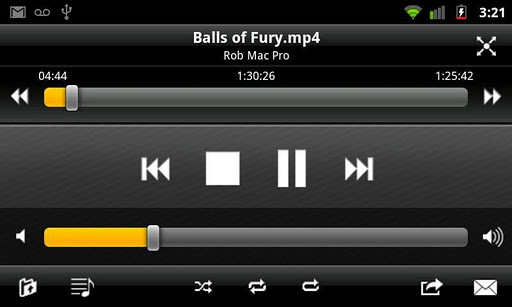
The most powerful Android VLC Remote is also the easiest to set up!
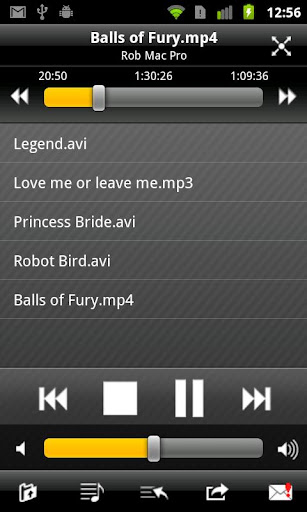
VLC Remote lets you sit back enjoy your movies and music while you control things from your sofa.
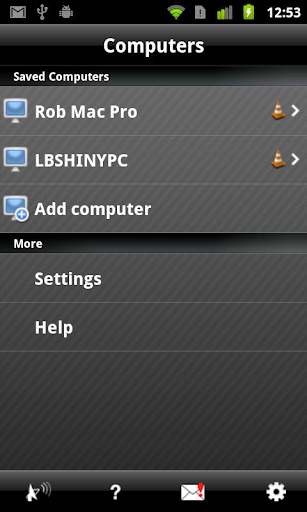
Use our Free setup helper to configure VLC and connect your Android in a couple of button clicks.
'In a few clicks everything is ready and you just have to taste the pleasure of remote control' -Alekxou
Features:
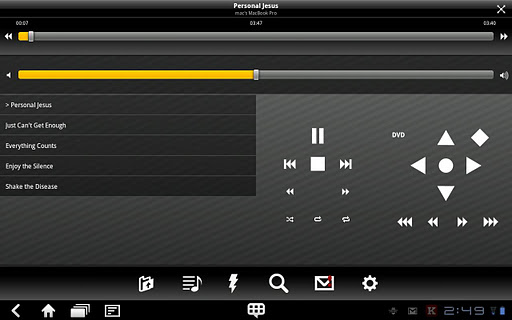
Easily control VLC from your sofa!
Helper configures VLC automatically.
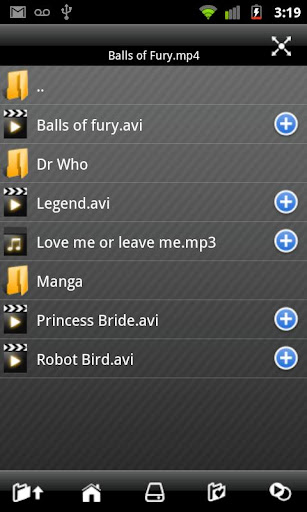
Full browsing control (play any file from your computer)
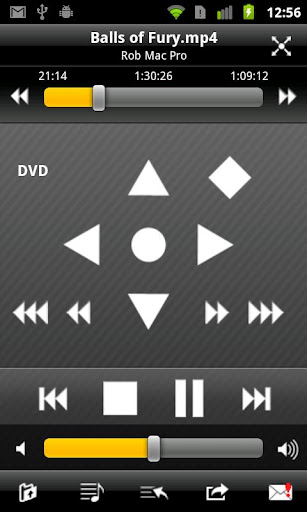
Full DVD controls
Volume, position, track
Turn fullscreen on and off
Control subtitles, aspect ratio, audio track and delays
Access external drives
What's in this version: (Updated :Jun 26, 2012)
Added ability to control volume with hardware volume keys (you can disable this in settings)
Added YouTube support (browse for YouTube videos on your phone, then play them on your PC)
Various fixes for VLC 2.0
Required Android O/S : 1.6+
Download : 711Kb APK
Screenshots :
Download here:

The #1 privacy app on Android and the best app to hide pictures and videos gets even better!
Vaulty Pro is now more private and secret than ever!
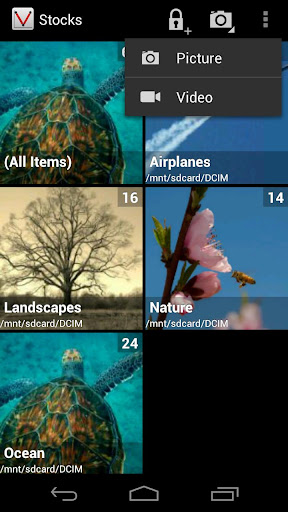
Hide your private pictures and videos from your gallery with unlimited concealment!
Do you have pictures or videos on your phone that you don’t want your friends, coworkers or kids to see? Keep private media files protected from prying eyes. Hide them with Vaulty Pro!
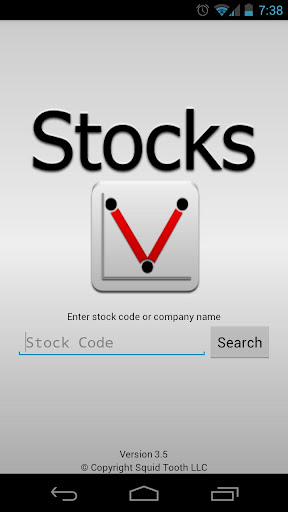
Your hidden pictures and videos will be disguised as a fake stocks app and no one will ever know. It works just like a real stocks app unless you enter the correct password.
Features :
Concealed as a stocks app
No annoying ads
Share hidden images and videos
Rotate images
Image slideshow
HOW TO USE VAULTY PRO
Vaulty Pro is easy to use! Get started hiding your media files with either of these two methods:
Within Vaulty Pro :
Open Hide Pictures in Stocks App
Tap the “Select Media To Hide” button at the bottom of the screen
To hide a single image or video, press and hold until a menu pops up, then select the “Hide” option; or, tap the image to view and press the “Hide” button that appears at the top
To hide multiple files at a time, select the check mark at the top of the screen in the gallery view to enter multi-select mode. Tap each desired item to mark for vaulting, or tap the “Select All” button at the bottom to select all items. Tap the “Hide” button to hide all selected items. You can use the back button or tap the check mark again to exit multi-select mode
Press the “View Hidden Media” button at the bottom to view all vaulted media
Within Your Gallery :
Open your gallery
Open the images and videos you want to hide
Select the “Share” option
Select Stocks from the list
Wait for Vaulty Pro to finish importing and concealing your media
Options :
Tap the gear/cog-shaped icon at the top right side of the screen
Adjust settings as desired
Change Image Viewing Mode
At the top left of the screen, tap the icons for “grid” and “list” view to switch between the two viewing modes
What's in this version: (Updated : Jun 26, 2012)
Beautiful new Android 4.0 ICS Gallery inspired design
Share multiple items
Capture images and videos within Vaulty
Bug fix for thumbnail and viewing issue
Fixed a couple rare crashes
Required Android O/S : 1.6+
Download : 1Mb APK
Screenshots :

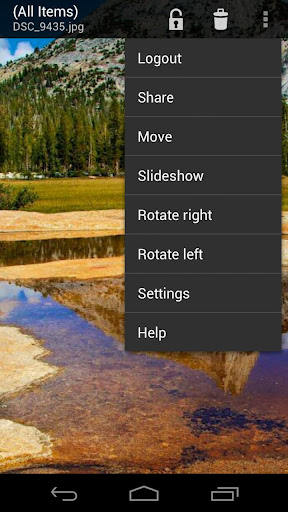
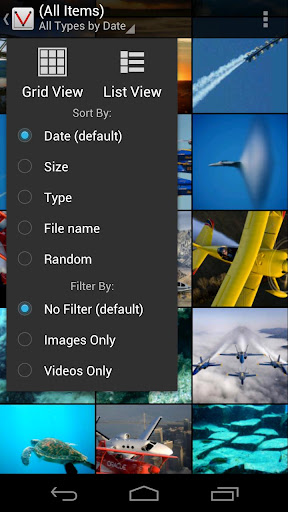
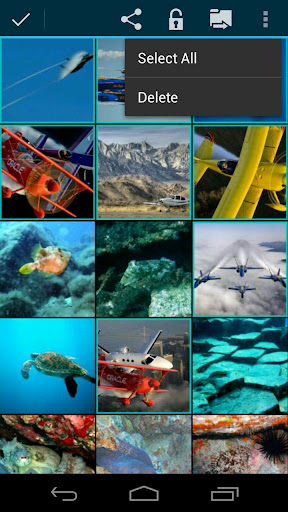
Download here:
The #1 privacy app on Android and the best app to hide pictures and videos gets even better!
Vaulty Pro is now more private and secret than ever!
Hide your private pictures and videos from your gallery with unlimited concealment!
Do you have pictures or videos on your phone that you don’t want your friends, coworkers or kids to see? Keep private media files protected from prying eyes. Hide them with Vaulty Pro!
Your hidden pictures and videos will be disguised as a fake stocks app and no one will ever know. It works just like a real stocks app unless you enter the correct password.
Features :
Concealed as a stocks app
No annoying ads
Share hidden images and videos
Rotate images
Image slideshow
HOW TO USE VAULTY PRO
Vaulty Pro is easy to use! Get started hiding your media files with either of these two methods:
Within Vaulty Pro :
Open Hide Pictures in Stocks App
Tap the “Select Media To Hide” button at the bottom of the screen
To hide a single image or video, press and hold until a menu pops up, then select the “Hide” option; or, tap the image to view and press the “Hide” button that appears at the top
To hide multiple files at a time, select the check mark at the top of the screen in the gallery view to enter multi-select mode. Tap each desired item to mark for vaulting, or tap the “Select All” button at the bottom to select all items. Tap the “Hide” button to hide all selected items. You can use the back button or tap the check mark again to exit multi-select mode
Press the “View Hidden Media” button at the bottom to view all vaulted media
Within Your Gallery :
Open your gallery
Open the images and videos you want to hide
Select the “Share” option
Select Stocks from the list
Wait for Vaulty Pro to finish importing and concealing your media
Options :
Tap the gear/cog-shaped icon at the top right side of the screen
Adjust settings as desired
Change Image Viewing Mode
At the top left of the screen, tap the icons for “grid” and “list” view to switch between the two viewing modes
What's in this version: (Updated : Jun 22, 2012)
Beautiful new Android 4.0 ICS Gallery inspired design
Share multiple items
Capture images and videos within Vaulty
Bug fixes and other improvements
Required Android O/S : 1.6+
Download : 1Mb APK
Screenshots :
Download here:

MULTI-CORE DECODING - MX Video Player is the first Android video player that performs multi-core decoding. According to the test results on dual-core devices, it shows up to 70% performance improvement than single-core devices.
CPU OPTIMIZATION - Provides highly optimized CODECs and Rendering Engines for the processors including ARM® NEON™ and NVIDIA® Tegra™ 2.
MULTI-TOUCH VIDEO ZOOM CONTROL - Zoom while playing your video in and out using multi-touch gestures.
SUBTITLE SCROLL - Scroll on subtitle text and playback position will be adjusted to match previous or next subtitle timing.
BETTER SUBTITLE READABILITY - Increased subtitle readability with thicker border and shadow around text.
FULL HONEYCOMB SUPPORT
Supported File Types :
SubRip(.srt)
Sub Station Alpha(.ssa/.ass)
MicroDVD(.sub/.txt)
SubViewer2.0(.sub)
SAMI(.smi/.sami)
MPL2(.mpl/.txt)
PowerDivX(.psb/.txt)
TMPlayer(.txt)
Matroska (.mkv) Subtitle Track. (text, ass/ssa only)
What's in this version : (Updated : Jun 13, 2011)
Fixed audio playback error with some codecs.
Required Android O/S : 2.1+
Download : 5.1Mb RAR
Screenshots :
Download here:
MULTI-CORE DECODING - MX Video Player is the first Android video player that performs multi-core decoding. According to the test results on dual-core devices, it shows up to 70% performance improvement than single-core devices.
CPU OPTIMIZATION - Provides highly optimized CODECs and Rendering Engines for the processors including ARM® NEON™ and NVIDIA® Tegra™ 2.
MULTI-TOUCH VIDEO ZOOM CONTROL - Zoom while playing your video in and out using multi-touch gestures.
SUBTITLE SCROLL - Scroll on subtitle text and playback position will be adjusted to match previous or next subtitle timing.
BETTER SUBTITLE READABILITY - Increased subtitle readability with thicker border and shadow around text.
FULL HONEYCOMB SUPPORT
Supported File Types :
SubRip(.srt)
Sub Station Alpha(.ssa/.ass)
MicroDVD(.sub/.txt)
SubViewer2.0(.sub)
SAMI(.smi/.sami)
MPL2(.mpl/.txt)
PowerDivX(.psb/.txt)
TMPlayer(.txt)
Matroska (.mkv) Subtitle Track. (text, ass/ssa only)
What's in this version : (Updated : Jun 10, 2011)
Added file deletion menu on playback screen.
Changed not to show UI while loading video.
Fixed .m3u8 playback error.
Removed DTS audio codec due to license issue.
Required Android O/S : 2.1+
Download : 5Mb ZIP
Note:
Remove License verification with Lucky patcher via 'Custom Patch'
Screenshots :
Download here:
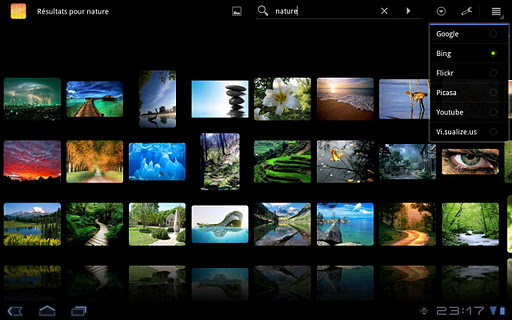
Search and browse thousands of images online with this superb and smooth 3D gallery.
Browse my media :
+ SD card
+ Picasa albums
+ Facebook personal and friends albums
Search with your favorite engine:
Google,
Bing
Youtube,
Picasa,
Flickr,
Visualizeus,
DeviantArt
Other Features :
Works on Android 2.1+ and is optimized for Honeycomb tablets
Intuitive multi-touch gestures : scroll, fling and pinch to zoom
Save, set as wallpaper and share images you like
Integration to global search
Create home shortcuts to favorite search
What's in this version : (Updated : Jun 9, 2012)
New 500px search engine
Flickr (beta)
Lots of bugfixes
Required Android O/S : 2.1+
Download : 240Kb APK
Screenshots :

Download here:
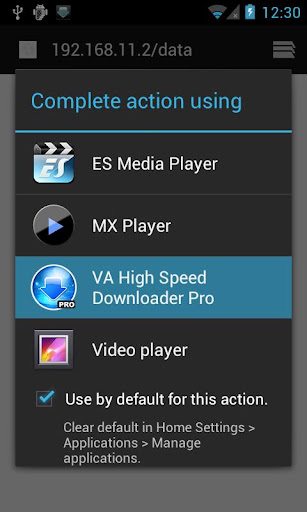
Download safe, stable at high speed can be large files.
This downloader is a simple and highly functional.
Download safe, stable at high speed can be large files.
You can also download files of any format.
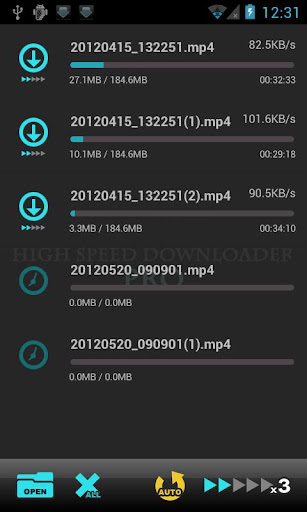
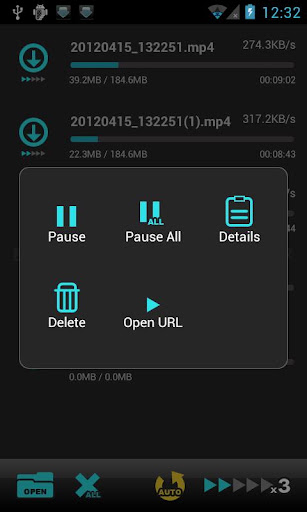
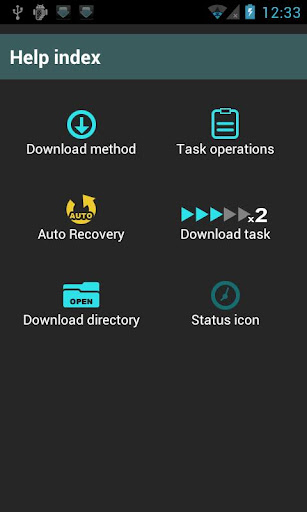
Main functions:
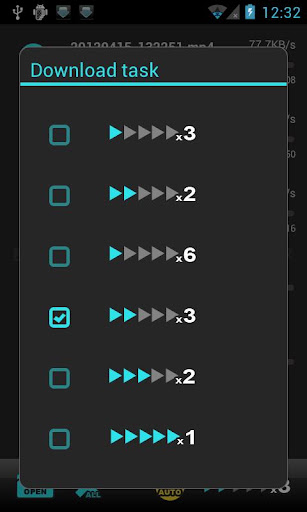
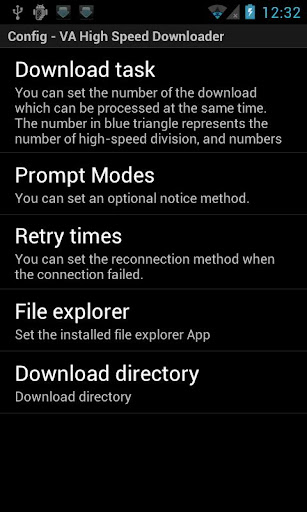
Download Divisions high-speed
Resume function
Automatic return of the application
Multiple simultaneous downloads
Download task management
Notification feature
Retry
Required Android O/S : 2.1+
Download : 325Mb APK
Screenshots :
Download here:

